Part One
Get your rates in
Step 01 · Rate Document Manager
Turn contracts into structured data
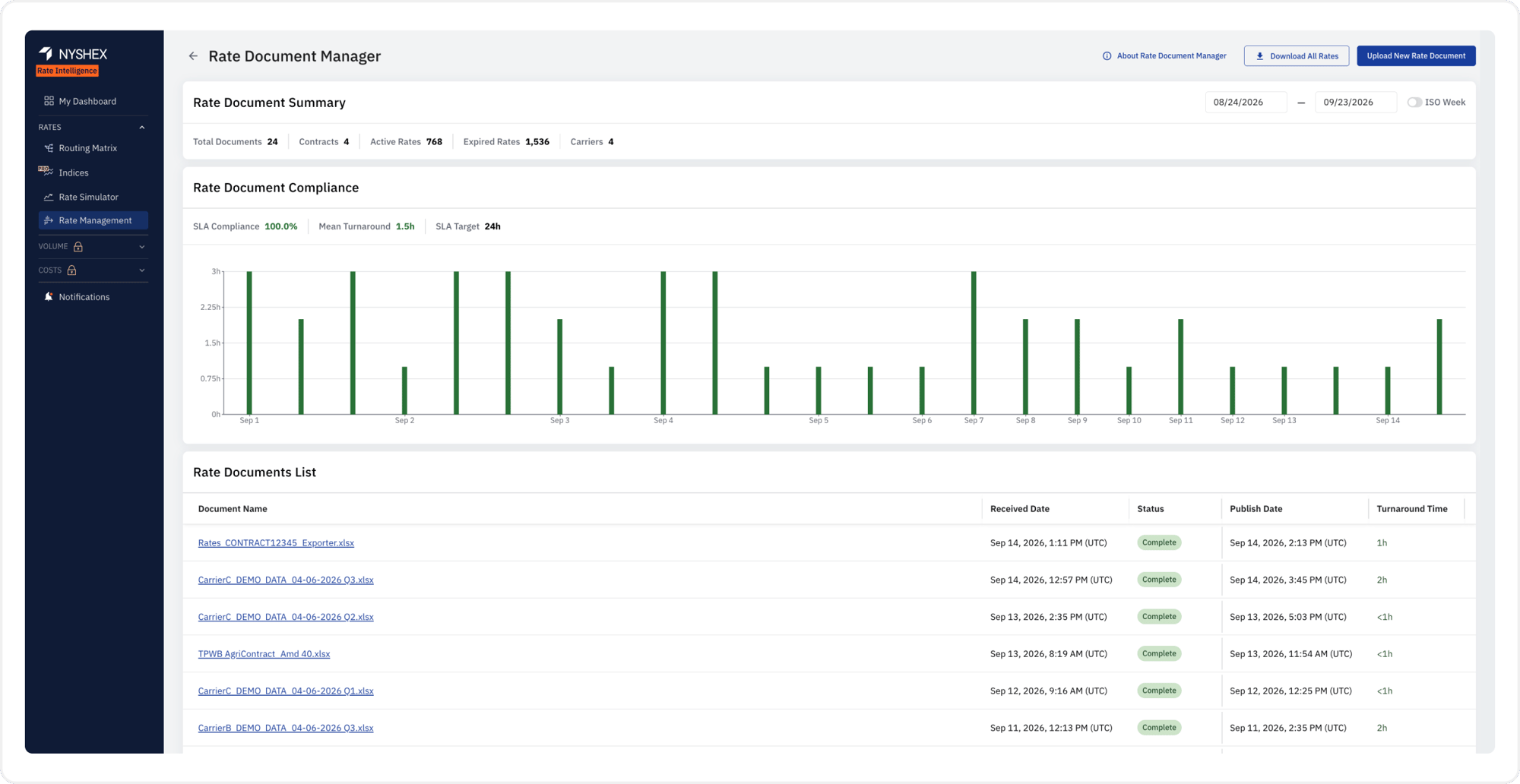
Drop in your carrier contracts and amendments — PDF, Excel, Word, whatever format they arrive in — or simply forward them to a dedicated rate inbox and skip the upload entirely. Rate Intelligence reads each document, extracts every rate, surcharge, and effective date, and publishes it to your live rate book within max. 4 hours, backed by a contractual SLA. Track the status of every submission and see exactly when each rate goes live.
The Value:
No manual data entry, and no waiting weeks for your rate book to catch up — every rate is live and searchable within four hours, guaranteed.
Part Two
Search, break down, and compare
Step 02 · Rate Management
Find your rate in seconds
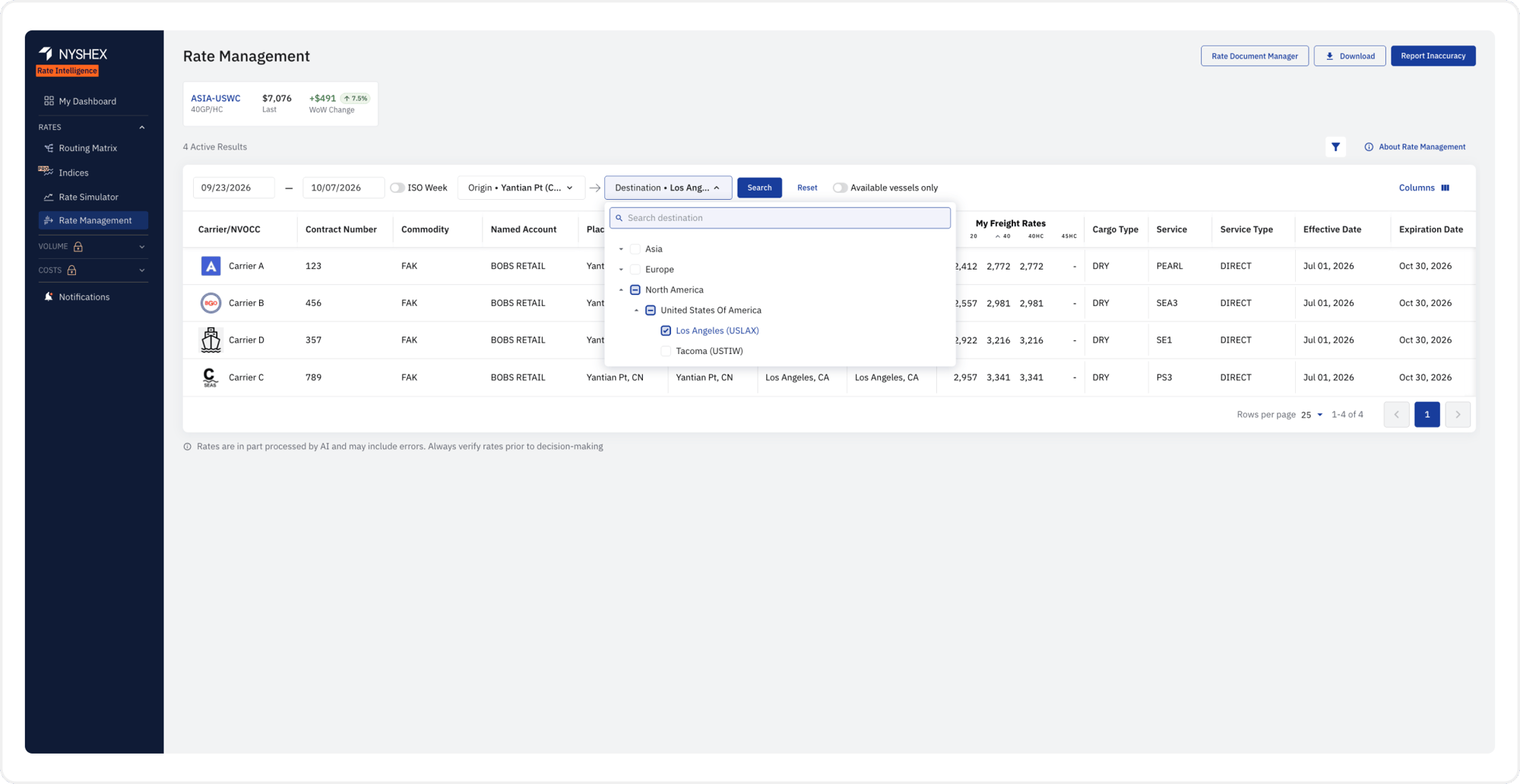
Pick an origin and destination — down to the port level — and Rate Intelligence surfaces every contracted rate you hold on that lane instantly, filtered by date range and container type.
The Value:
Save time digging through spreadsheets or emailing your carrier rep to confirm what you're paying.
Step 03 · Rate Details
Know what's in every rate
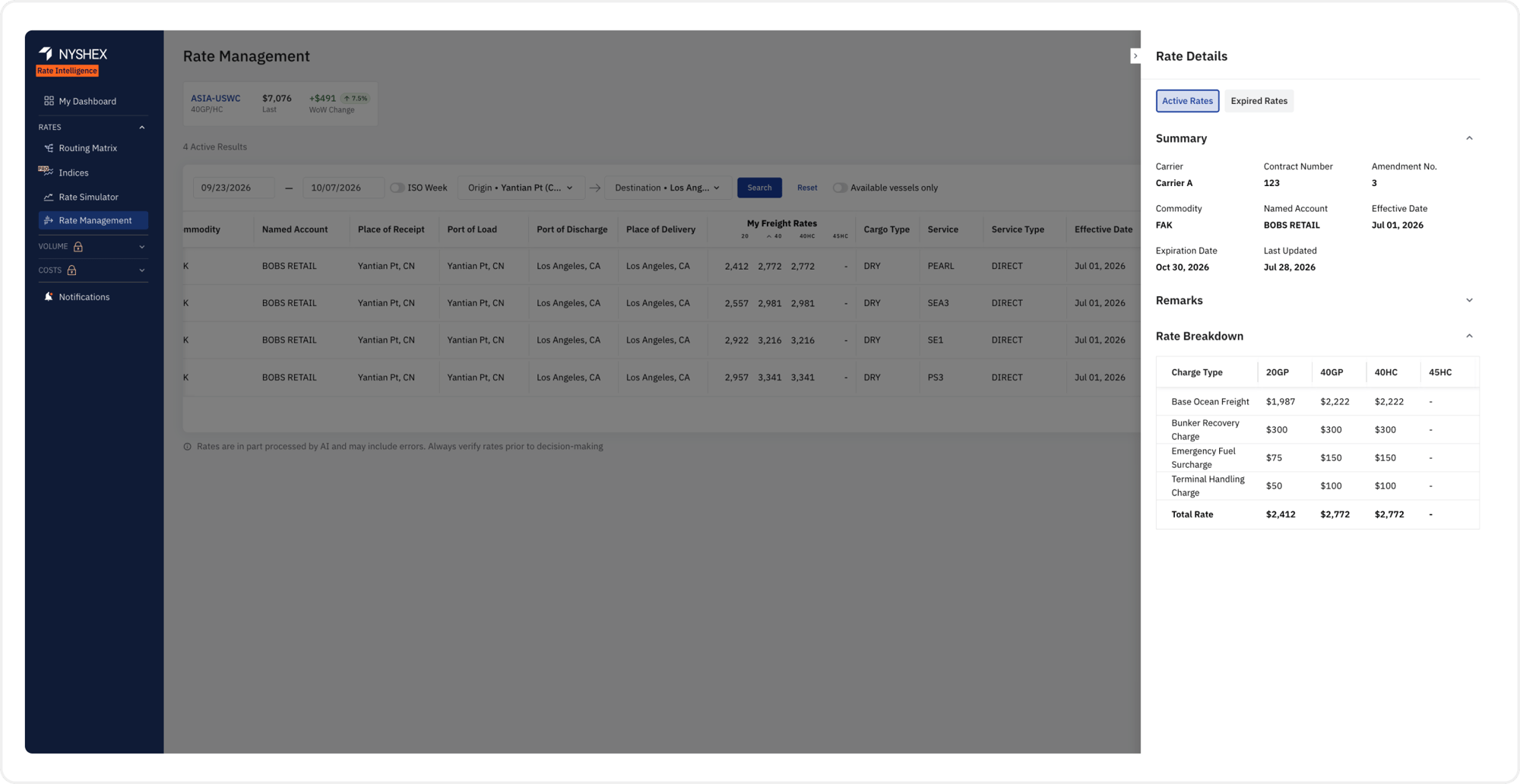
Every rate opens into a full breakdown: base ocean freight, bunker recovery, emergency fuel surcharge, terminal handling, and more, by container size. See contract terms, amendment history, and exactly when a rate expires — all in one place.
The Value:
Don't miss any detail — no surprise surcharges showing up at invoice time.
Step 04 · Rate Management
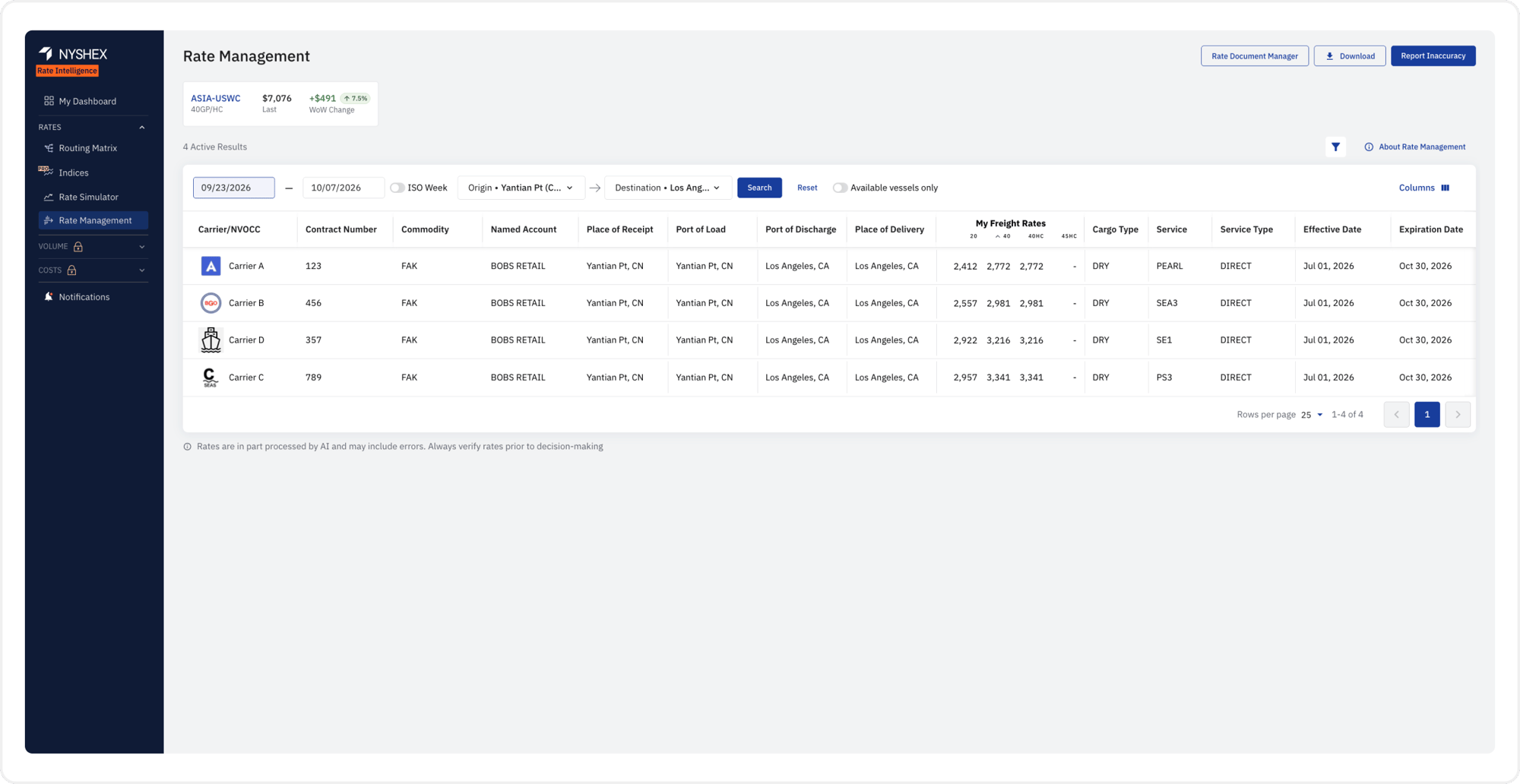
Compare carriers side by side
See every carrier's contracted rate on a lane in one table, ranked and ready to compare. Spot which carrier is actually cheapest once every surcharge is counted — not just the headline base rate.
The Value:
Make sure you book on your best option, every time.
Part Three
Plan the routing
Step 05 · Rate Management
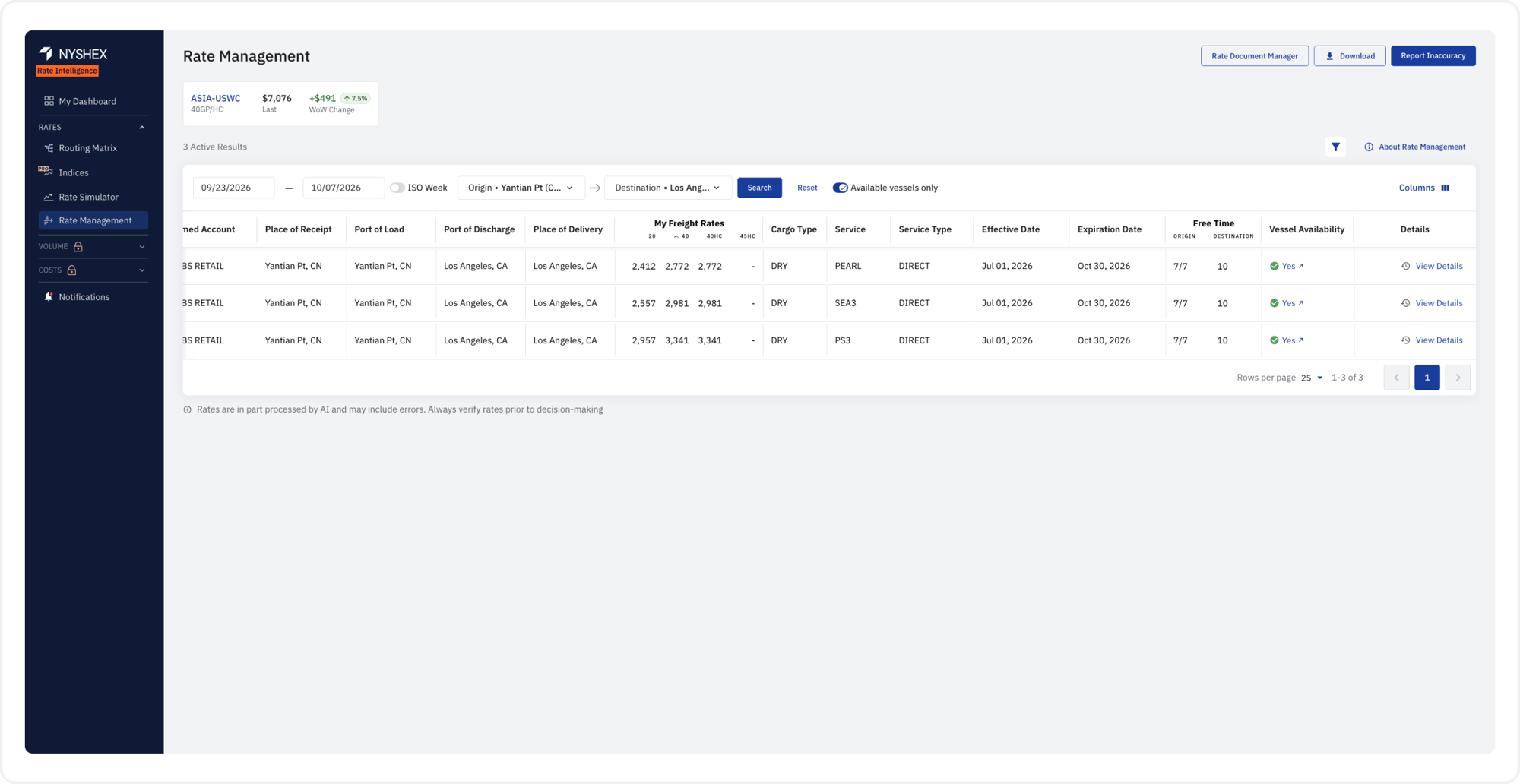
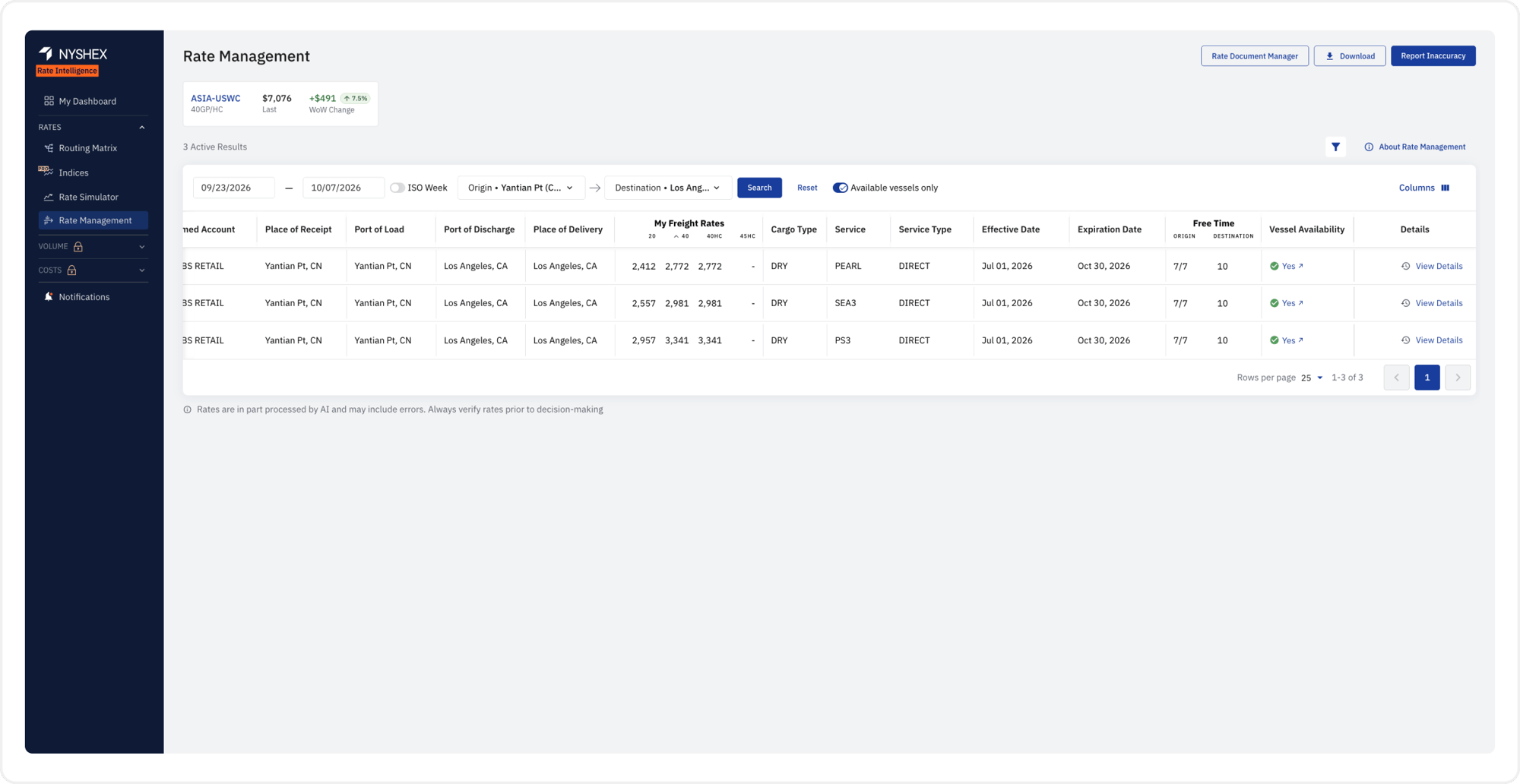
Only see what you can actually book
Flip on "Available vessels only" and Rate Intelligence filters down to rates with confirmed vessel space, complete with free time terms for detention and demurrage on both ends.
The Value:
Stop chasing rates you can't actually use.
Step 06 · Routing Matrix
See every sailing, ranked how you need it
The routing matrix lays out every vessel schedule on your lane — carrier, transshipment, transit time, and a reliability score — sorted by cheapest rate, fastest transit, earliest departure, earliest arrival, or highest reliability. Your contracted rate rides along with each option.
The Value:
Weigh service quality and price in one view, instead of trading one off against the other blind.
Part Four
Benchmark against the market
Step 07 · NYSHEX Freight Indices
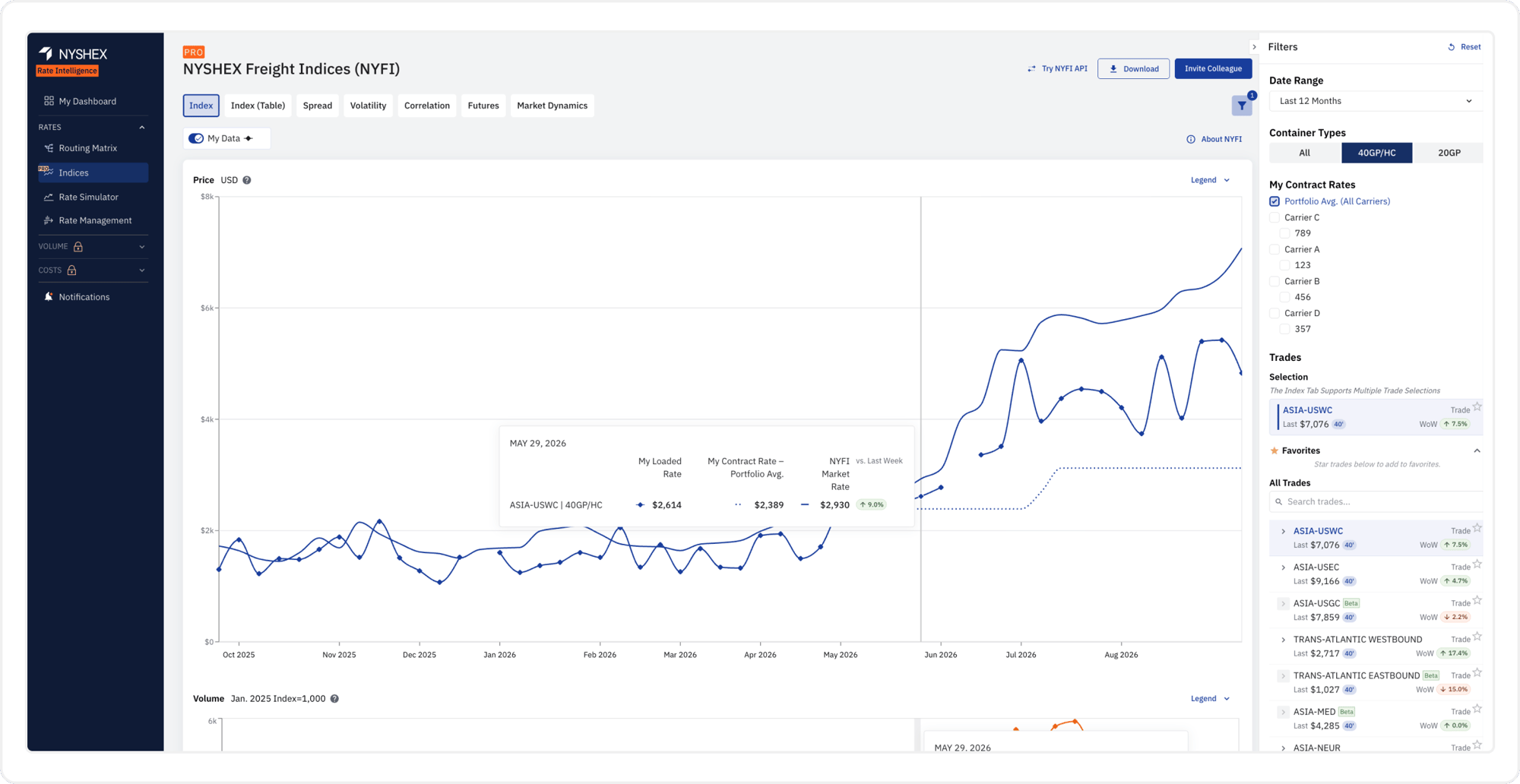
See your rate against the market
The NYSHEX Freight Index (NYFI) tracks real, executed rates across the market — not carrier list prices. Overlay your own fixed contract rate on the index for any trade lane and see immediately whether you're paying above or below what the market is actually moving freight for.
The Value:
Know whether your contract is still competitive before the market tells you the hard way.
Step 08 · Spread
Find your position in the market
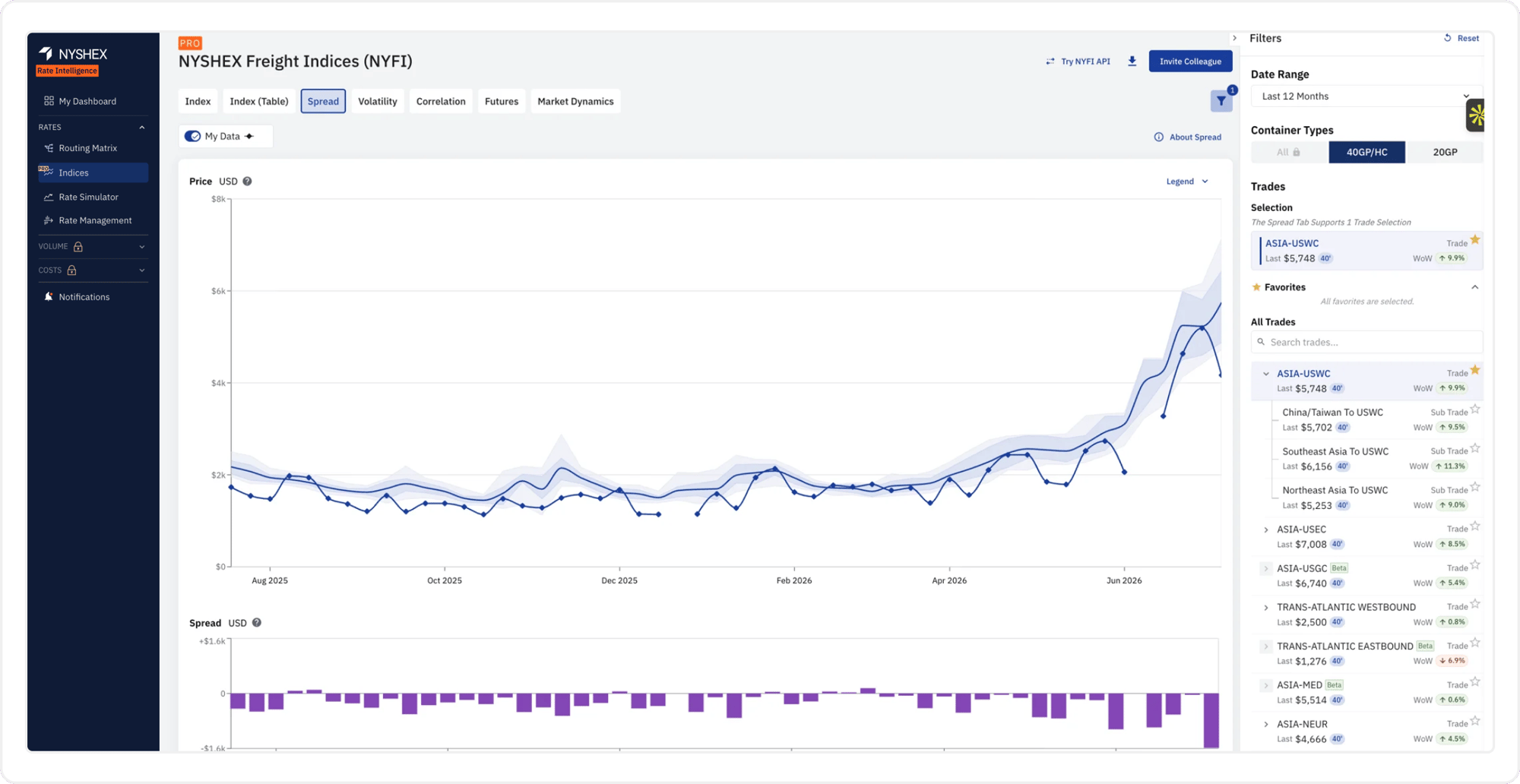
Drill down to the subtrade and port-pair level and see the full spread of executed rates — top and bottom quartile, decile bands, and everything between, with your own rate overlaid on it.
The Value:
Start your next negotiation from data instead of guesswork.